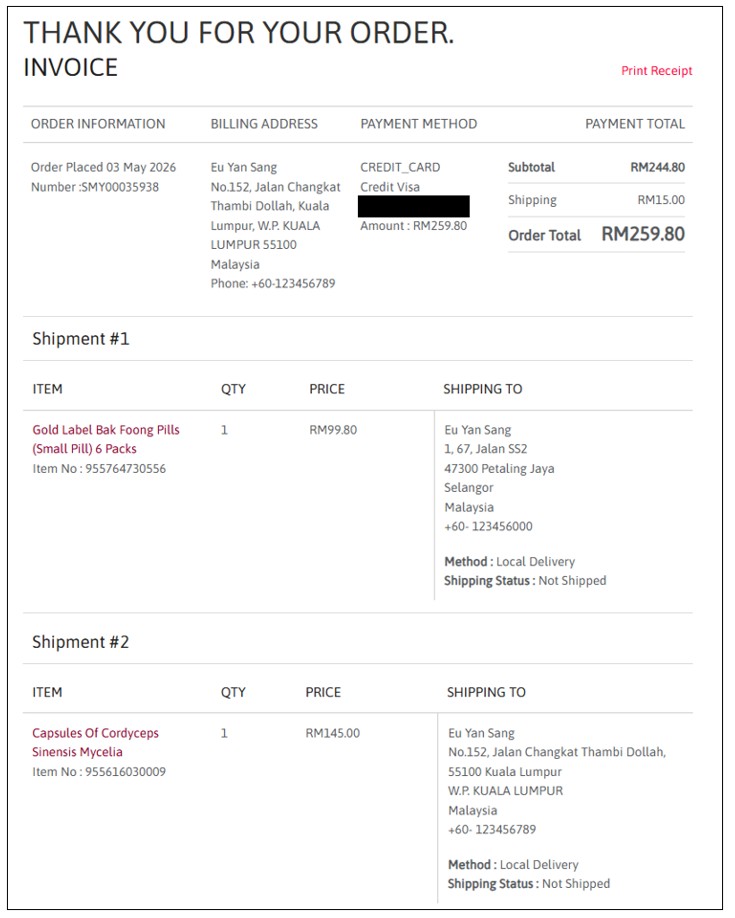
We only provide local deliveries to Malaysia. There are 2 shipping options available:
1. Deliver to Single Shipping Address: only deliver your item to one location.
2. Deliver to Multiple Shipping Address : deliver your item to more than one locations.
1. Deliver to Single Shipping Address

STEP 1 - SHIPPING
Fill in your delivery information
1. Fill in your delivery address & recipient phone number or select the details from your saved address book:https://www.euyansang.com.my/en_MY/addressbook

2. Indicate if this is a gift. If yes, you may include a personalised message with not more than 150 characters.

3. Click "CONTINUE" to proceed next step.
STEP 2 - BILLING
Indicate if you want to use the same delivery address for billing.
1. Billing address will default same as delivery address.
2. "UPDATE ADDRESS" if you need to midity the address or "ADD NEW" if Billing Address is not similar with the Delivery Address.

3. Fill in Phone Number and Email and click "CONTINUE" to proceed next step.

**Enter your coupon code (if available)
**View your total item, shipping charges and payment amount under ORDER SUMMARY

STEP 3 - REVIEW & CONFIRM PAYMENT
1. Review your Delivery Details and Order Summary
2. Click "PLACE ORDER" to proceed next step, and you will be re-directed for payment.

STEP 4 - PAYMENT
You may choose to make your payment via Credit/Debit Card, Online Banking or eWallet
1. Fill in your payment details and then click "Proceed" to continue.

STEP 5 - ORDER CONFIRM
1. You will receive a payment confirmation Invoice with your order details.
2. You will receive a confirmation email, provided you entered a valid email address.
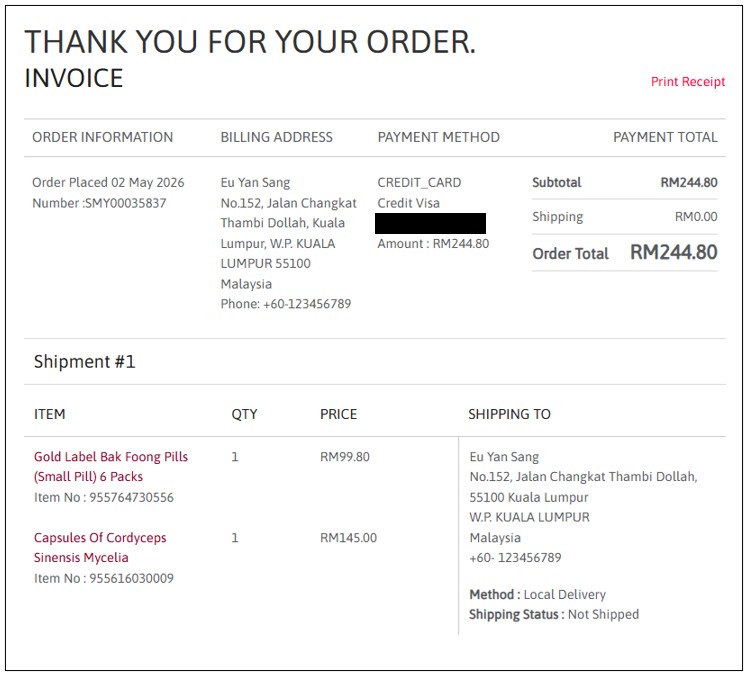
2. Deliver to Multiple Shipping Addresses
STEP 1 - SHIPPING
Tick "Shipping to more than one address? " if you need to deliuver your item more than one locations.
1. Fill in your delivery address & recipient phone number or select the details from your saved address book:https://www.euyansang.com.my/en_MY/addressbook

2. Indicate if this is a gift. If yes, you may include a personalised message with not more than 150 characters.
3. Click "CONTINUE" to proceed next step.
STEP 2 - BILLING
Indicate if you want to use the same delivery address for billing.
1. Billing address will default same as delivery address.
2. "UPDATE ADDRESS" if you need to midity the address or "ADD NEW" if Billing Address is not similar with the Delivery Address.

3. Fill in Phone Number and Email and click "CONTINUE" to proceed next step.
**Enter your coupon code (if available)
**View your total item, shipping charges and payment amount under ORDER SUMMARY
STEP 3 - REVIEW & CONFIRM PAYMENT
1. Review your Delivery Details and Order Summary
2. Click "PLACE ORDER" to proceed next step, and you will be re-directed for payment.

STEP 4 - PAYMENT
You may choose to make your payment via Credit/Debit Card, Online Banking or eWallet
1. Fill in your payment details and then click "Proceed" to continue.
STEP 5 - ORDER CONFIRM
1. You will receive a payment confirmation Invoice with your order details.
2. You will receive a confirmation email, provided you entered a valid email address.